 monica
CREATIVE NOTES / Coding & playful learning
Hideout Club: choosing where to hide and how to leave
Hideout Club is a single-player adventure with a computer-controlled hunter. Choose a scene, character and difficulty, then use the preparation period to find a position. The forest, candy town and moon station look different, but share a useful question: does a place that looks hidden also give you a good route out?
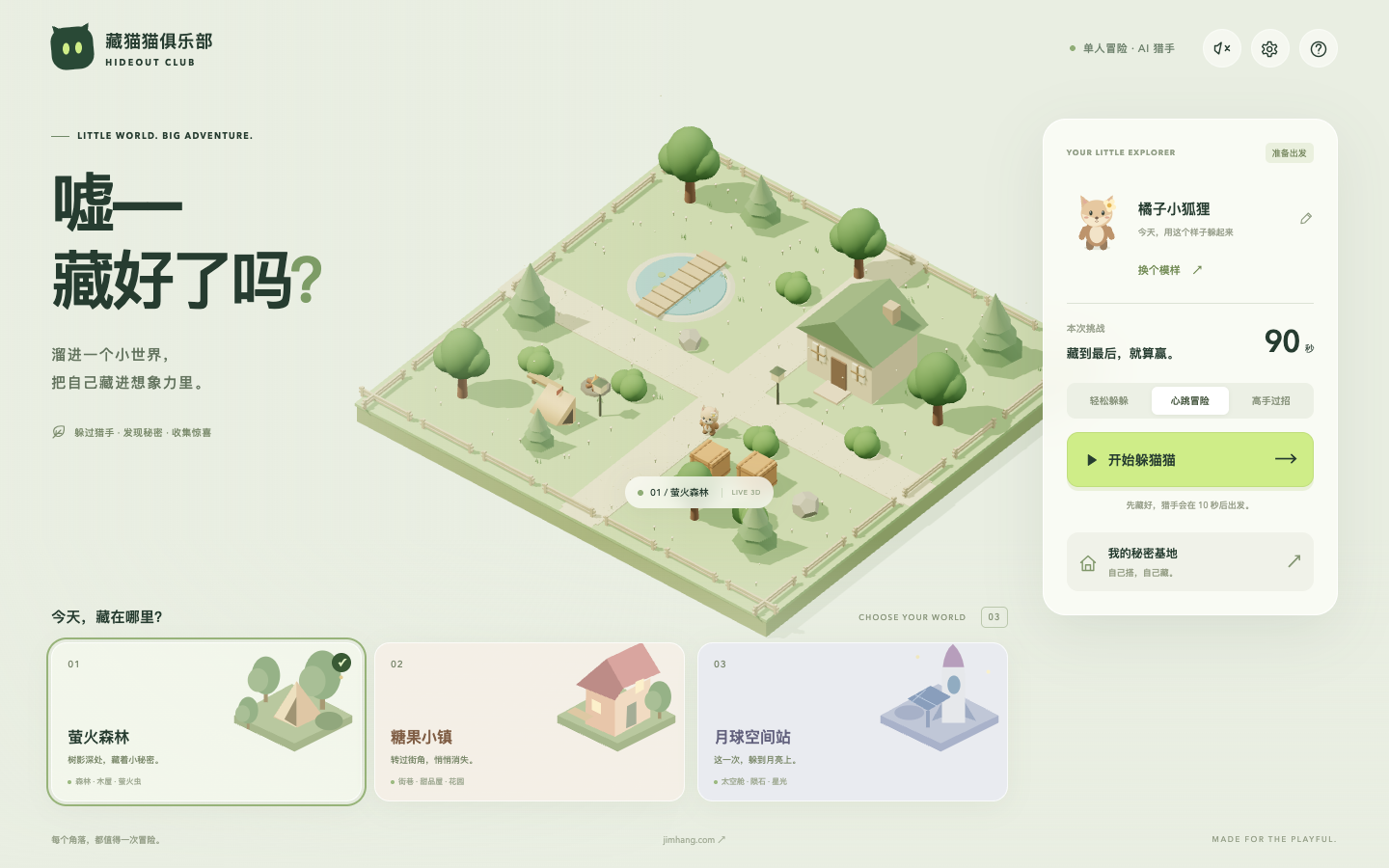
Use the preparation period to look around
Each round begins with ten seconds of preparation, followed by a ninety-second chase. Keyboard controls include W, A, S and D for movement, Shift for sprinting and E for hiding, with touch controls also provided. Use the initial period to identify nearby cover and an exit route. That can be more informative than immediately running to a distant corner. Knowing where the character stands and where the next turn leads provides a basis for later decisions when the hunter is moving.
Cover helps, but it is not a permanent guarantee
The help explains that walls and buildings can block the hunter’s view, while orange vision areas signal where to be careful. Bushes, tents and capsules provide hiding opportunities, but a hunter that comes close may still find the player. Hiding therefore leaves something to watch. After being caught, identify one possible cause: crossing an exposed area, staying too close, or choosing a route with little room to turn. Different observations suggest different things to try in the next round.
Small tasks vary the adventure
Alongside surviving the chase, the game offers tasks involving stars, time spent hiding and survival. Completed tasks provide tickets for in-game item draws. These add a decision between staying put and moving out to accomplish something. Items can support a new route, but understanding the map remains useful. A first session can focus on the basic hiding rule alone. Collection goals can be introduced later, when there is less uncertainty about controls and the surrounding space.
Building a base is also designing a route
The secret-base editor supports placing, rotating, undoing and removing objects, with room for up to fifty items. Its layout is saved in the current browser, and it can be used for a round. Leave passages, then consider the arrangement from both sides: where is there cover, where could movement become awkward, and where is an alternative route? Building becomes more than filling empty ground. It becomes a small exercise in arranging a space that supports an actual chase.
Two more questions
Is this an online multiplayer game?
The current public version is single-player, with a computer-controlled hunter.
Can I play in my own secret base?
Yes. The editor has a start-here option, as well as rotation, undo and removal controls.
Explore the works in this note
Profile information was supplied by her family. These notes were prepared by the Monica portfolio editorial team from the original works, performance records and playable projects on this site, with AI-assisted writing and translation. Descriptions of existing work are distinguished from activities readers may try. The articles are editorial introductions, not first-person accounts written by Monica.
Profile and editorial notes →